
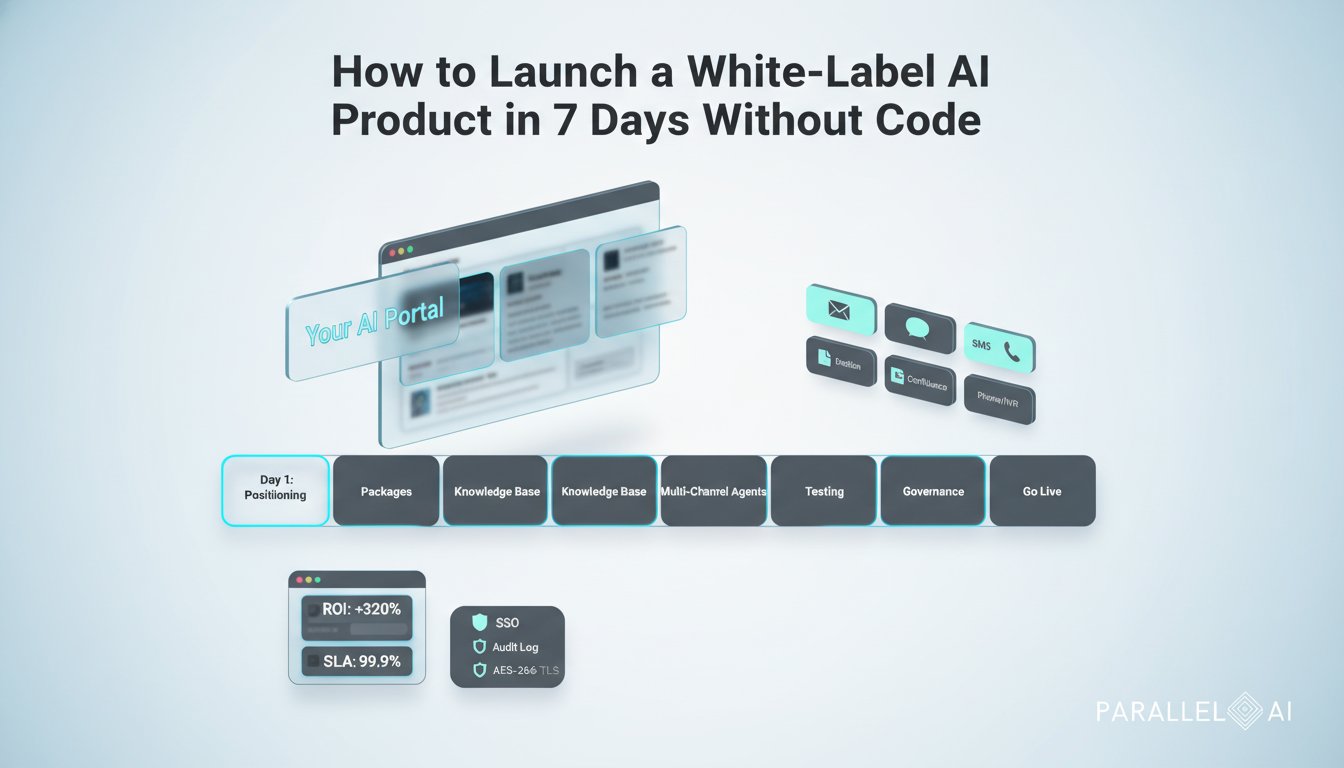
Overview
Solopreneurs and micro‑agencies don’t need a dev team to sell enterprise‑grade AI. In one week, you can brand Parallel AI as your own, package outcome‑based offers, connect a unified knowledge base (Notion, Confluence, Google Drive), and deploy multi‑channel agents for email, SMS, chat, and voice. This blueprint gives you the day‑by‑day plan, onboarding scripts, SOP templates, and a simple ROI calculator so you can win compliance‑conscious clients with confidence.
What you will launch by Day 7
– A white‑labeled AI portal at your domain (logo, colors, email templates)
– 2 to 3 outcome‑based service packages with clear SLAs and pricing
– Unified knowledge base connected to Notion, Confluence, and Google Drive
– Production‑ready agents for email triage, SMS follow‑ups, web chat, and voice IVR
– Governance foundations: SSO, role‑based access, audit logging, AES‑256 at rest, TLS in transit, optional on‑prem deployment talk track
– KPI dashboard, ROI calculator, and client‑facing reporting cadence
Day‑by‑Day Launch Plan
Day 1 — Positioning and Offer Design
– Pick a niche and jobs‑to‑be‑done. Examples:
– Marketing: lead capture, campaign QA, content repurposing
– Sales: inbox triage, meeting prep, follow‑up sequencing
– Strategy/Tech: SOP generation, research briefs, requirements drafting
– Design 2 to 3 outcome‑based packages (no hourly billing):
– Starter: Inbox triage + FAQ deflection (up to 1 channel) • SLA: 24h setup • Price: fixed monthly
– Growth: Multi‑channel + weekly reporting • SLA: 48h responses to change requests • Price: fixed + usage tier
– Pro: Custom workflows + voice + CRM integration • SLA: 99.9% uptime • Price: higher fixed + success bonus
– Pricing guidance:
– Anchor to value: time saved, leads captured, tickets deflected
– Use a floor (costs + 50% margin) and a ceiling (client value × 10–20%)
– Include a success kicker (e.g., per additional qualified lead) to de‑risk
– Define your headline outcome, e.g., “Cut client response time by 70% in week one without adding headcount.”
Day 2 — White‑Label Brand Setup in Parallel AI
– Brand the portal: upload logo, set color palette, custom domain (e.g., ai.youragency.com), white‑label emails
– Configure users and roles: admin, editor, client viewer
– Governance and security talk track:
– Authentication: SSO/SAML/OIDC supported
– Data security: AES‑256 at rest, TLS 1.2+ in transit, scoped API keys
– Privacy controls: data residency options, retention windows, PII redaction
– Deployment choices: cloud with VPC isolation; on‑prem/private cloud option for regulated clients
– Compliance posture: audit logging, role‑based access, least‑privilege principles; map to SOC 2/ISO 27001 expectations
– Prepare your compliance one‑pager (see template below)
Day 3 — Build the Unified Knowledge Base
– Inventory sources: Notion spaces, Confluence spaces, Google Drive folders, website FAQs, PDFs, past proposals
– Connect sources in Parallel AI: authenticate and select collections/spaces; set sync frequency
– Structure your information architecture:
– Tier 1: Canonical docs (SOPs, FAQs, approved content)
– Tier 2: Reference (long reports, research, transcripts)
– Tier 3: Volatile (offers/promos that change often)
– Retrieval design: long‑context vs RAG vs agentic workflows
– Long‑context (million‑token context): use when the agent must reason across large, cohesive artifacts (e.g., 200‑page playbooks, multi‑document contracts). Pros: minimal setup, high fidelity. Cons: higher token cost, latency.
– RAG (retrieval‑augmented generation): use for frequently updated or large corpora (FAQs, SOPs, product docs). Pros: fast, cost‑efficient, keeps answers current. Cons: requires chunking and indexing.
– Agentic workflows: use when tasks need multi‑step planning, tool calls, or handoffs (e.g., draft email, log CRM note, schedule follow‑up, escalate to human). Pros: automation depth. Cons: requires guardrails and QA.
– Practical default:
– RAG for common Q&A
– Long‑context for deep analysis briefs and audits
– Agentic for execution (draft‑approve‑send loops)
Day 4 — Stand Up Multi‑Channel Agents
– Email agent: route info@ inbox, classify intents, draft replies, escalate edge cases
– SMS agent: appointment reminders, lead qualification, payment nudges (Twilio‑style connector)
– Web chat agent: website widget for lead capture, FAQs, and scheduling
– Voice agent: IVR for after‑hours routing and basic support
– Guardrails and handoffs:
– Confidence thresholds and human‑in‑the‑loop approval for sensitive replies
– Allow “talk to a human” at any time and real‑time transfer
– PII handling and masking for transcripts and logs
– Integrations:
– CRM (HubSpot/Salesforce), calendar, ticketing (Zendesk), and spreadsheets
– Event webhooks to your reporting sheet for KPIs
– Prompting pattern:
– System prompt sets tone, scope, compliance
– Retrieval policy defines which sources are allowed and freshness window
– Output schema for structured logging (intent, disposition, confidence)
Day 5 — QA, Evaluation, and Governance
– Test harness:
– Create 50–100 test prompts per channel (happy path, edge cases, adversarial)
– Score with rubrics: accuracy, helpfulness, brand voice, safety
– Regression suite for updates
– Governance controls:
– Role‑based access, SSO enforcement, audit log review
– Data retention and deletion SOPs; export on request
– Incident response playbook and DPA language ready
– Performance tuning:
– Safe defaults: temperature low for factual responses, higher for creative tasks
– Caching frequent answers, batch processing for cost control
Day 6 — GTM Assets, Scripts, and ROI Calculator
– Prospecting script (email/DM)
Subject: Cut response time by 70% in 7 days (no new hires)
Hi [Name], we help [niche] teams deploy a white‑label AI assistant that triages inboxes, answers FAQs, and books meetings across email, SMS, chat, and voice. Most see time‑to‑first‑value in 48 hours and 25–60% ticket deflection in month one. Interested in a 20‑minute walkthrough tailored to [company]’s stack?
— [Your Name]
– Discovery call flow
1) Goals and bottlenecks
2) Volumes (emails/day, chat sessions, calls)
3) Systems (CRM, helpdesk, knowledge sources)
4) Compliance (SSO, data residency, retention)
5) Success metrics and decision process
– Kickoff agenda (client)
– Confirm outcomes and SLAs
– Connect Notion/Confluence/Drive
– Approve brand voice and escalation policy
– Sign DPA and security checklist
– Schedule 7‑day implementation milestones
– Outcome‑based pricing examples
– Tiered monthly + usage: includes 5,000 messages; add‑on per 1,000
– Deflection‑based bonus: base + bonus after threshold (e.g., >35%)
– Per‑lead value share for chat/voice capture
– Simple ROI calculator framework
Variables: hourly fully loaded cost (H), messages per month (M), minutes saved per message (S), deflection rate (D), software cost (C)
Time savings value per month = (M × D × S ÷ 60) × H
Net ROI = (Time savings value − C) ÷ C
Example: H=$50, M=10,000, S=3 min, D=40%, C=$2,500
Time savings = (10,000 × 0.4 × 3 ÷ 60) × 50 = $10,000
Net ROI = ($10,000 − $2,500) ÷ $2,500 = 3.0 (300%)
– Client‑facing KPI starter pack
– First‑response time, deflection rate, CSAT, lead capture rate, booked meetings
Day 7 — Launch, SOPs, and Reporting
– Go live checklist
– Final brand checks, domains, SSO
– Approval thresholds and escalation contacts
– Alerting on failures and latency
– Weekly reporting cadence
– Share KPIs and insights; propose tweaks
– Tag and review escalations for training data
– SOP templates (copy/paste)
SOP: Knowledge Base Ingestion
1) Source list and owners
2) Sync schedule and retention window
3) Tagging taxonomy and exclusions
4) QA sampling and approval
5) Change log
SOP: Agent Release and Rollback
1) Versioning and change summary
2) Test results and sign‑off
3) Rollback trigger and steps
4) Stakeholder notifications
SOP: Incident Response (AI)
1) Triage severity
2) Containment (disable channel, revoke keys)
3) Root cause analysis
4) Client comms template
5) Preventive actions
Security and Compliance One‑Pager (client‑ready language)
– Authentication and access: SSO/SAML/OIDC, role‑based access, least privilege
– Data protection: AES‑256 encryption at rest, TLS 1.2+ in transit, key management best practices
– Privacy and residency: configurable data retention; EU/US data residency options; PII redaction
– Deployment options: cloud with VPC isolation or on‑prem/private cloud; no training on client data by default
– Auditability: immutable audit logs, exportable reports, change history
– Contracts: DPA, SCCs as applicable, incident notification SLAs
When to Use Long‑Context vs RAG vs Agentic Workflows
– Use long‑context windows (up to million‑token models) for:
– End‑to‑end policy or contract review across many appendices
– Competitive analysis synthesizing dozens of long PDFs
– Strategy briefs requiring deep, cross‑document reasoning
– Use RAG for:
– Dynamic FAQs, product documentation, SOPs that change often
– Support search with citations and freshness controls
– Cost‑sensitive, high‑volume Q&A
– Use agentic workflows for:
– Sequenced tasks: draft email → log to CRM → schedule meeting
– Multi‑tool automations: pull metrics → generate deck → send recap
– QA loops with human approval on high‑impact actions
– Billable use cases you can sell now:
– Sales inbox autopilot: 30–50% faster responses, qualified leads routed
– Content repurposing studio: turn webinars into posts, emails, and briefs
– Support deflection: chat and voice handle level‑1 tickets with citations
– Research concierge: long‑context deep dives with cited highlights
Market Proof Points You Can Reference
– McKinsey’s 2024 State of AI reports broad adoption of gen AI in customer operations, marketing, and software, with governance cited as a top barrier and priority
– Gartner’s 2024 Hype Cycle and platform guidance highlight agentic patterns, retrieval augmentation, and guardrails as core enterprise requirements
– Deloitte and IDC 2024 notes point to faster time‑to‑value with platform approaches versus bespoke builds, especially for SMEs adopting AI under compliance constraints
(Use these sources qualitatively in sales conversations and insert exact stats only when you have the latest figures.)
FAQ Talking Points
– Model choice and costs: start with cost‑efficient models for high‑volume channels; use long‑context models selectively for audits and briefs
– Latency: cache common answers, pre‑warm prompts, and set timeouts with graceful human handoff
– Accuracy: ground with RAG, require citations on claims, and maintain a feedback loop for continual improvement
– On‑prem viability: offer private cloud or on‑prem for regulated clients; confirm network, GPU, and key management prerequisites
Your 60‑Minute Sprint Plan (today)
– Pick a niche and define 1 headline outcome
– Draft your Starter and Growth packages with SLAs
– Spin up your white‑label portal and connect one source (Notion)
– Deploy one channel (web chat) with a 10‑prompt test suite
Copy‑Ready Client Email Templates
– Kickoff confirmation
Subject: Your AI Assistant Is Going Live This Week
Hi [Name], excited to confirm your AI assistant rollout. This week we will connect your knowledge sources, set up chat and email channels, and configure approvals. You’ll receive a weekly KPI report (response time, deflection, CSAT). Please share access to [Notion/Confluence/Drive] and your preferred escalation contacts.
— [You]
- Monthly value recap
Subject: [Month] Results: Time Saved and Deflection
Highlights: 38% deflection, 2.1h/day saved for your team, 27 qualified leads captured. Proposed next step: enable voice IVR for after‑hours.
What to Measure and Report
– Inputs: content coverage (% of FAQs indexed), channels enabled, training items added
– Outputs: response time, deflection rate, CSAT, lead capture, meeting bookings
– Business impact: hours saved, cost avoided, revenue influenced
Close the Loop
With a white‑label Parallel AI deployment, you can sell enterprise‑grade outcomes in days, not months. Keep the scope tight, ground agents in your clients’ knowledge, and lead with security and ROI. You’ll stand out against larger agencies by shipping faster, proving value weekly, and scaling without hiring.