
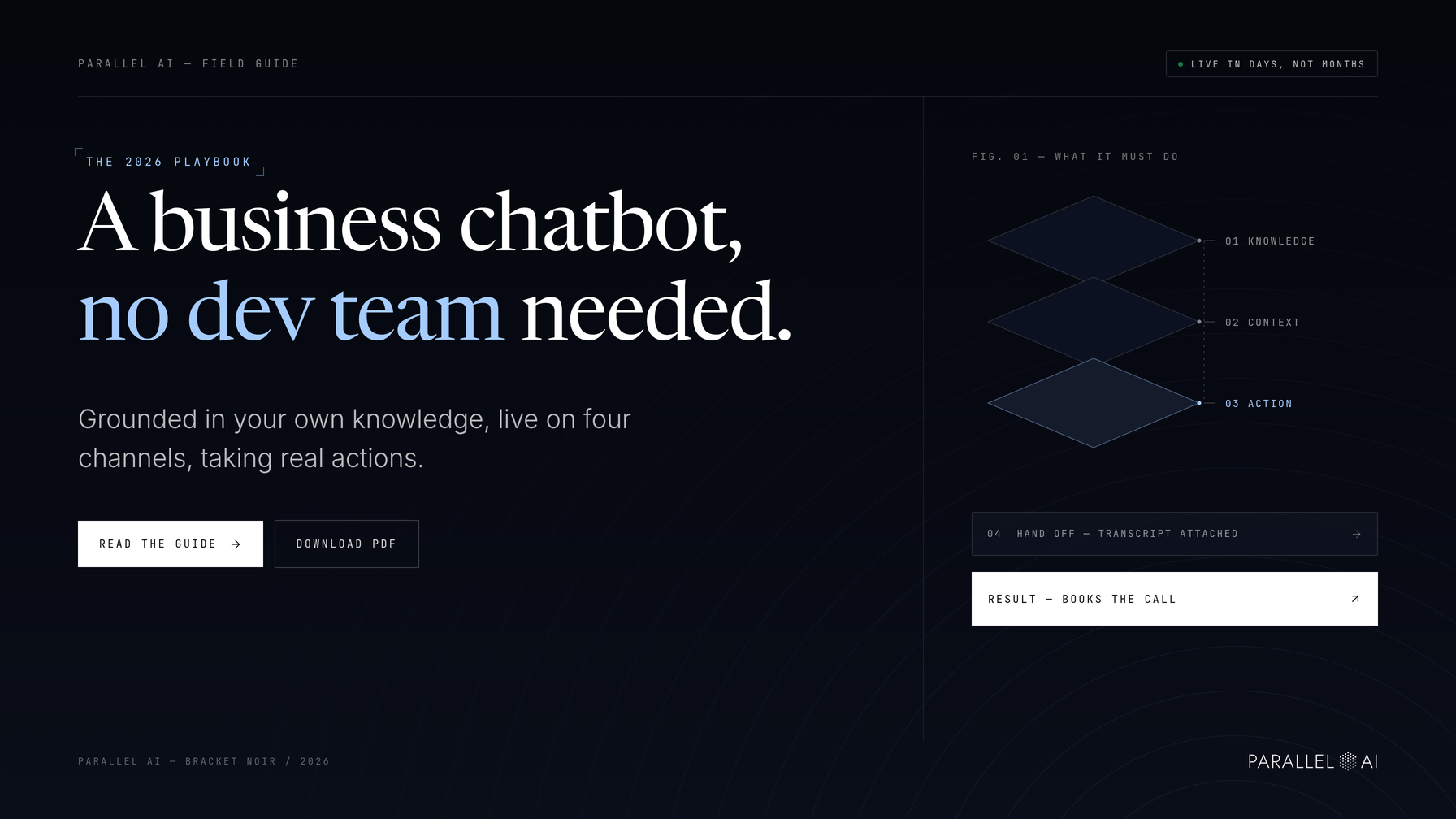
An AI chatbot for business in 2026 should answer from your own knowledge, qualify leads and take real actions across web chat, SMS, WhatsApp and email. Those actions include updating a CRM, booking a call and sending a follow-up. And you no longer need a dev team to put one live. A marketing or ops lead can configure a working agent in days, not months.
This field guide is for growth-focused agencies, SaaS companies and service businesses that want to cut response times and scale engagement without hiring in proportion to volume. It covers what a chatbot should do this year, where it earns its keep by department, the difference between a chatbot and an AI employee, and the step-by-step path from blank page to live agent.
What should a business chatbot do in 2026?
A business chatbot in 2026 should do four things well: answer accurately from your own knowledge base, hold context across a conversation, take actions beyond replying, and hand off cleanly to a human when it reaches its limits. Anything less is a FAQ widget with better grammar.
Accurate answers start with grounding. Rather than improvising from general training data, the chatbot draws on your own documents: pricing pages, policies, product notes. Replies then reflect your business instead of an average of the internet. Context matters just as much. A good chatbot remembers what a visitor said three messages ago instead of asking for the same details twice.
Actions are what separate a modern chatbot from a deflection tool. Booking a meeting, tagging a lead, enrolling a contact in a follow-up sequence: these are the moments where a conversation turns into revenue. And when a conversation exceeds the chatbot's scope, a clean handoff rule routes it to the right person with the transcript attached.
Where a chatbot earns its keep, department by department
Chat automation pays off differently in each team, so map use cases before configuring anything. Four departments see the fastest returns.
Sales: qualifying and booking leads
A sales chatbot's job is separating signal from noise. On your pricing page, it asks the two or three questions a rep would ask, such as company size, timeline and budget range. Then it books a call for the qualified few and routes everyone else to a nurture path. Reps start their day with booked meetings instead of a queue of unqualified form fills.
Marketing: capturing and nurturing inbound inquiries
Inbound interest decays fast. A chatbot greets visitors on campaign landing pages, answers pre-sales questions on the spot, and captures contact details in exchange for something useful, like a guide, a pricing breakdown or a demo slot. Once the contact is captured, follow-up sequences carry the nurture while the team focuses on the next campaign.
Support: answering customers around the clock
Customers ask questions at 11pm on a Sunday, and support teams don't. A support chatbot answers on web chat, SMS, WhatsApp and email, pulling from help docs, policies and product notes. Routine tickets like order status, password resets and "how do I export this" resolve themselves. Complex ones reach a human with full context attached.
Internal ops: fielding routine process questions
The same pattern works inside the company. Point the chatbot at HR policies, expense processes and internal how-to docs, and it fields the routine questions that interrupt managers a dozen times a day. Teams get instant answers, and operations gets its focus back.
Chatbot or AI employee: which one does the job?
An AI chatbot is a channel-bound responder. It answers where the conversation started. An AI employee is a named worker with a role, scoped knowledge and permission to take real actions, such as updating a CRM record, sending a follow-up or running a sequence. The distinction matters. The wrong match overspends capability on simple jobs and undersells it on complex ones.
| AI chatbot | AI employee | |
|---|---|---|
| What it is | A channel-bound responder | A named worker with a defined role |
| Knowledge | Answers from connected sources on its channel | Uses knowledge scoped to its role |
| Actions | Replies and escalates | Updates CRM records, sends follow-ups, runs sequences |
| Best fit | Front-line answering on web chat or SMS | Owning a workflow end to end |
Use a chatbot for jobs where the goal is a good answer at the point of contact. Reach for an AI employee when a job spans steps and systems. Taking a late-night inbound lead through qualification, CRM updates and a follow-up sequence without a human touching each step is a good example.
How to deploy an AI chatbot for business without a dev team
Deployment on a modern platform is a five-step configuration process, and a marketing or ops lead can own every step.
Step 1: Write the agent instructions. Define its role, tone and boundaries in plain language: who it serves, what it may and may not say, and what it should never guess at. Include tone guidance so replies match your brand voice. Vague instructions are the most common cause of poor chatbot answers.
Step 2: Connect a knowledge base. Link the sources the agent should answer from, such as site pages, help docs and files living in Google Drive, Notion or Confluence. Keep them current, because a stale knowledge base produces confidently wrong answers.
Step 3: Set handoff rules. Decide in advance when the agent escalates: pricing negotiations, complaints, anything it cannot ground in the knowledge base. A clean handoff beats a brave guess every time.
Step 4: Require human approval before anything sends or publishes. Until you trust the agent, outbound follow-ups and sequence enrollments go through a sign-off. This single control removes most of the risk of an early deployment.
Step 5: Launch on website chat and SMS, then expand. Web chat covers your highest-traffic surface, while SMS meets people where reply rates run high. Once both are stable, extend to WhatsApp, email and voice.
Here is the full pattern in one worked example. A prospect lands on your site at 11:40pm, reads the pricing page, and opens chat with a question about plans. The chatbot answers from your pricing doc, asks two qualifying questions, offers a booking link and captures a phone number.
The agent then creates the lead record in your CRM and enrolls the lead in an outreach sequence, with the first follow-up queued for human approval before it sends. By morning, your team is approving a warm handoff instead of facing a cold inbox.
What to check after launch
Read the transcripts for the first two weeks. Most problems show up right in the conversation log: questions the knowledge base didn't cover, handoffs that never triggered, approvals nobody owned. Fix the instructions first, then the knowledge base, then the rules, in that order. A grounded agent with clear boundaries usually corrects the rest.
From late-night messages to booked calls, without hiring
A business chatbot in 2026 should answer from your own knowledge, act across channels and hand off cleanly. Any of it can be live this week without a developer. Chatbots handle channel-bound answering, while AI employees own multi-step workflows like lead follow-up and CRM updates. Deployment comes down to five steps: instructions, knowledge base, handoff rules, human approvals, launch.
Parallel AI brings those pieces together on one platform. Chat and voice agents, the content engine, lead data and outreach sequences share one contact record, one knowledge base and one credit balance, so the agent that answers the question is the same system that follows up. Agencies can run it white-label and offer the entire stack to clients under their own brand.
Start a 7-day free trial of Parallel AI, connect a knowledge base, and have your first agent answering before the week is out.