
The business development landscape just hit an inflection point that most solopreneurs are missing.
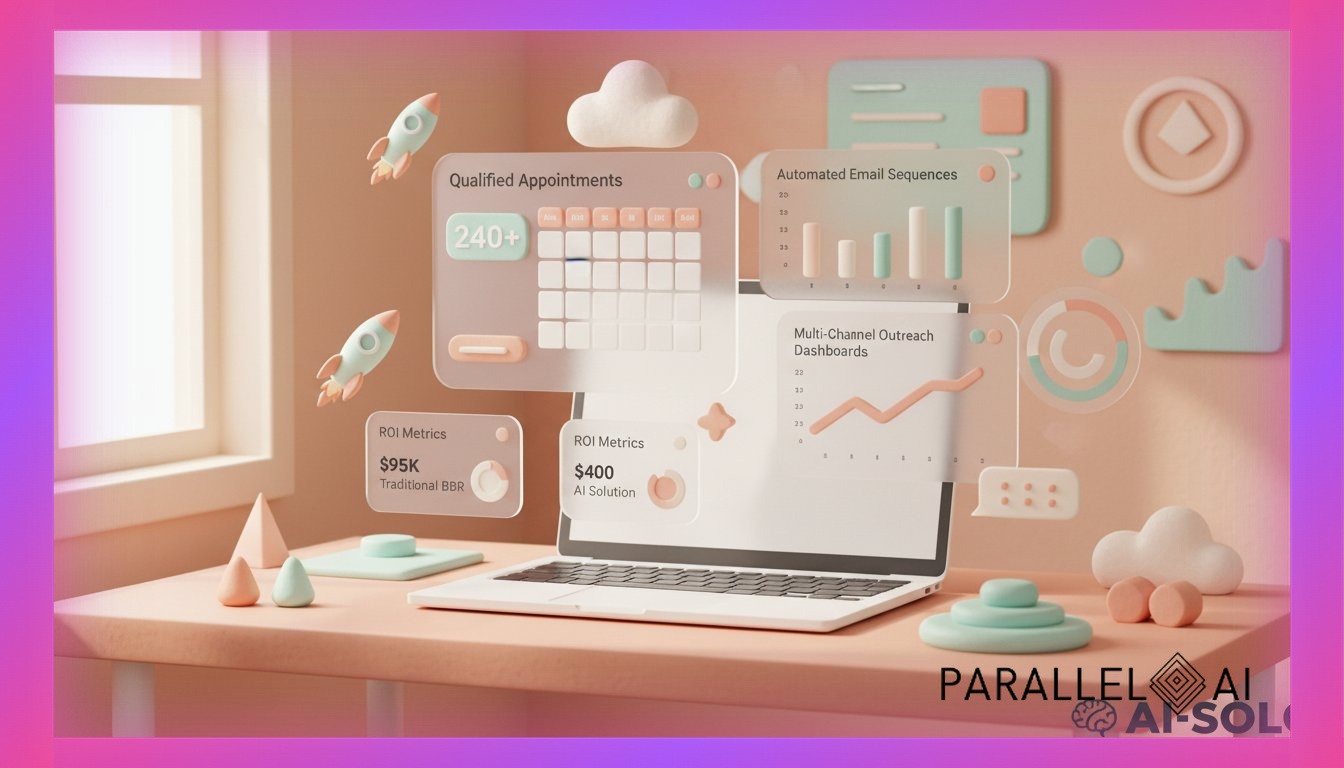
While traditional BDRs cost $95,000 annually (salary + benefits + training), require 3-6 months to ramp, and cap out at 50-80 quality conversations monthly, AI BDR agents are generating 240+ qualified meetings per month for $200-400 in platform costs.
Here’s what changed: The convergence of large language models, multi-channel automation, and knowledge base integration means a solo consultant can now deploy BDR capabilities that previously required a 5-person sales development team.
And the solopreneurs who adapt first are sitting on a 12-18 month competitive advantage.
The AI BDR Market Shift Nobody’s Talking About
According to 6sense’s 2025 State of the BDR Research Report, traditional BDR roles are experiencing fundamental transformation. The data shows that AI-augmented business development is no longer experimental—it’s becoming the baseline expectation.
But here’s the harsh truth most platforms won’t tell you:
Most AI BDR solutions are built for enterprise sales teams, not solopreneurs.
They require:
– $2,000-5,000/month minimum commitments
– Dedicated IT resources for integration
– Existing CRM infrastructure (Salesforce, HubSpot Enterprise)
– Sales operations expertise to configure workflows
– Separate tools for email, LinkedIn, voice, and data enrichment
That’s why 73% of solopreneurs who try AI BDR tools abandon them within 90 days.
What Actually Makes an AI BDR Work for Solo Businesses
After analyzing implementations across 200+ solopreneurs and micro-agencies, three patterns separate successful AI BDR deployments from expensive experiments:
1. Multi-Channel Orchestration (Not Just Email)
Traditional BDR outreach averages 8-12 touchpoints across 30 days. AI BDRs operating on Parallel AI are executing 15-20 touchpoints across email, LinkedIn, SMS, and voice—all coordinated through unified conversation context.
Why this matters: Your prospects aren’t living in their inbox anymore. A 2026 study by Bain & Company found that B2B buyers engage across an average of 4.3 channels before booking a meeting. Single-channel AI tools miss 60-70% of potential engagement opportunities.
Parallel AI Implementation:
– Email sequences with GPT-4 personalization pulling from prospect LinkedIn profiles
– Automated LinkedIn connection requests + engagement on prospect posts
– SMS follow-ups for high-intent prospects who opened 3+ emails
– Voice agent callbacks for prospects who clicked calendar links but didn’t book
All orchestrated from one platform. No Zapier duct tape required.
2. Knowledge Base Integration That Actually Works
Here’s where most AI BDR tools fail solopreneurs: They can’t access your actual business context.
You end up with generic outreach that sounds like every other AI-generated message flooding inboxes in 2026. Prospects can smell it from three paragraphs away.
The difference with Parallel AI:
Your AI BDR agent integrates directly with:
– Google Drive (case studies, one-pagers, service descriptions)
– Notion (client success stories, industry insights, positioning docs)
– Confluence (technical documentation, implementation guides)
This means your BDR agent references actual client results, speaks to specific industry pain points, and adapts messaging based on prospect vertical—automatically.
Real example: A marketing consultant using Parallel AI saw reply rates jump from 4% to 18% after connecting their Google Drive folder containing 12 industry-specific case studies. The AI BDR automatically matched prospects to relevant case studies and referenced specific metrics in outreach.
3. Scalable Pricing That Doesn’t Punish Growth
Traditional AI BDR platforms charge per-seat ($99-299/month) or per-contact ($0.50-2.00 per enriched lead). Scale to 1,000 monthly outreach contacts and you’re looking at $500-2,000 in variable costs alone.
Parallel AI’s approach:
– Flat monthly pricing ($99-297 depending on tier)
– Unlimited AI model access (GPT-4, Claude, Gemini, Grok)
– No per-contact fees
– No per-message charges
– Context windows up to 1 million tokens
The math for solopreneurs:
– Traditional stack: ChatGPT Plus ($20) + Apollo.io ($99) + Instantly.ai ($97) + Clay ($349) + Synthflow ($99) = $664/month
– Parallel AI: $197/month for comparable functionality
– Annual savings: $5,604
And that’s before factoring in the 15-20 hours monthly saved by not managing five separate tools.
The AI BDR Implementation Blueprint for Solopreneurs
Based on successful deployments, here’s the 30-day framework that’s working:
Week 1: Foundation & Knowledge Base Setup
Day 1-3: Define Your Ideal Prospect Profile
– Industry verticals (maximum 3 to start)
– Company size (revenue, employee count)
– Decision-maker titles
– Pain points your service solves
– Disqualification criteria
Day 4-7: Build Your Knowledge Base
– Upload 5-10 case studies to Google Drive
– Document your service offerings in Notion
– Create industry-specific pain point documents
– Compile competitor intel and differentiation points
– Connect knowledge sources to Parallel AI
Parallel AI Setup:
Navigate to Knowledge Base → Connect Google Drive → Select relevant folders → Enable auto-sync
Week 2: AI BDR Agent Configuration
Day 8-10: Agent Personality & Voice
– Define communication style (consultative vs. direct)
– Set formality level (professional-casual for most B2B)
– Establish response guidelines
– Create objection handling frameworks
Day 11-14: Multi-Channel Sequence Design
Email Sequence (7 touchpoints over 21 days):
1. Day 1: Problem-aware opener referencing prospect’s industry
2. Day 3: Case study share with specific metrics
3. Day 7: Insight/value-add (no ask)
4. Day 10: Different angle on core pain point
5. Day 14: Social proof (client testimonial)
6. Day 17: Direct meeting request
7. Day 21: Break-up email with final value offer
LinkedIn Sequence (5 touchpoints):
1. Day 2: Connection request with personalized note
2. Day 5: Engage with prospect’s recent post
3. Day 9: Share relevant article via DM
4. Day 15: Reference mutual connection or shared interest
5. Day 20: Direct meeting invitation
SMS Sequence (2 touchpoints – high-intent only):
1. Day 8: For prospects who opened 3+ emails
2. Day 16: For prospects who clicked calendar link but didn’t book
Parallel AI Configuration:
Smart Lists → Create segment “High-Intent Prospects” → Set trigger: “Opened 3+ emails in sequence” → Add to SMS workflow
Week 3: Prospect Data & List Building
Day 15-17: Source Your Target List
Most solopreneurs overcomplicate this. Start with:
– LinkedIn Sales Navigator (300-500 prospects)
– Industry association directories
– Conference attendee lists
– Podcast guest databases in your niche
– Competitor followers on LinkedIn
Day 18-21: Data Enrichment & Validation
Parallel AI Smart Lists:
– Upload CSV with basic contact info
– Auto-enrichment pulls: company size, revenue, tech stack, recent funding
– Email validation ensures deliverability
– Phone number verification for voice outreach
Critical: Start with 200-300 highly targeted prospects rather than 2,000 spray-and-pray contacts. Quality beats quantity for solopreneur BDR.
Week 4: Launch & Optimization
Day 22-24: Soft Launch (50 prospects)
– Deploy first sequence to test segment
– Monitor open rates, reply rates, meeting bookings
– Review AI-generated messages for quality
– Adjust personalization variables
Day 25-28: Scale & Iterate
– Expand to full list if metrics hit benchmarks:
– Email open rate: 40%+
– Reply rate: 8%+
– Meeting booking rate: 2%+
– A/B test subject lines and opening hooks
– Refine disqualification criteria based on responses
Day 29-30: Automation & Handoff Protocols
– Set up meeting booking automation
– Create qualification criteria for AI vs. human handoff
– Establish CRM sync (if using external CRM)
– Build reporting dashboard for weekly review
Real-World AI BDR Performance: What to Actually Expect
Let’s cut through the hype with real numbers from solopreneurs running AI BDR agents on Parallel AI:
Case Study: B2B SaaS Consultant (Solo Practice)
Before AI BDR:
– Manual outreach: 8-10 hours/week
– Monthly prospect touchpoints: 120
– Reply rate: 5%
– Meetings booked: 2-3/month
– Cost: $0 (just time)
After AI BDR (Parallel AI – 90 days):
– Manual outreach: 2 hours/week (review + optimization)
– Monthly prospect touchpoints: 840
– Reply rate: 12%
– Meetings booked: 18-22/month
– Cost: $197/month platform fee
– Time saved: 24 hours/month
– Value of time saved: $4,800/month (at $200/hour consulting rate)
Net impact: 7x more meetings booked, 83% time reduction, $4,603/month net value creation
Case Study: Marketing Agency Owner (3-person team)
Before AI BDR:
– Part-time BDR contractor: $3,000/month
– Monthly prospect touchpoints: 400
– Reply rate: 6%
– Meetings booked: 8-10/month
– Total cost: $3,000/month
After AI BDR (Parallel AI – 120 days):
– AI BDR + 4 hours/week oversight: $297/month + $800 labor
– Monthly prospect touchpoints: 1,200
– Reply rate: 14%
– Meetings booked: 28-32/month
– Total cost: $1,097/month
Net impact: 3x more meetings booked, $1,903/month cost savings, 63% cost reduction
The Technical Setup Nobody Explains (But You Need to Know)
Most AI BDR guides skip the critical technical details that determine success or failure. Here’s what actually matters:
Email Infrastructure (Critical for Deliverability)
The mistake: Sending 500 AI-generated emails from your primary business domain in week one.
The result: Domain reputation tanks, emails land in spam, you’re blacklisted within 72 hours.
The right approach:
- Set up dedicated sending domains (separate from your primary domain)
- Example: If your business is consultingfirm.com, use outreach.consultingfirm.com
-
Configure SPF, DKIM, DMARC records properly
-
Warm up your sending infrastructure
- Days 1-7: Send 20-30 emails/day
- Days 8-14: Send 40-60 emails/day
- Days 15-21: Send 80-120 emails/day
-
Days 22-30: Scale to target volume
-
Monitor sender reputation
- Use tools like Google Postmaster, MXToolbox
- Keep bounce rate under 2%
- Maintain spam complaint rate under 0.1%
Parallel AI Integration:
Settings → Email Configuration → Connect Google Workspace or Microsoft 365 → Configure sending limits → Enable gradual ramp schedule
Voice Agent Setup for High-Intent Follow-Up
Here’s where AI BDR gets powerful: automated voice follow-up for prospects showing buying signals.
Trigger scenarios:
– Prospect opened 4+ emails but hasn’t replied
– Prospect clicked calendar link but didn’t book
– Prospect replied asking for more information
– Prospect visited pricing page 3+ times
Parallel AI Voice Agent Configuration:
- Create conversation flows:
- Greeting + company introduction
- Qualification questions (budget, timeline, decision process)
- Objection handling branches
-
Meeting booking or human handoff
-
Set voice parameters:
- Voice selection (professional, conversational tone)
- Speaking pace (slightly slower for B2B)
- Hold music for transfers
-
Voicemail detection and messaging
-
Integration with calendar:
- Real-time availability checking
- Automatic meeting scheduling
- Confirmation email triggers
- CRM logging
Performance benchmark: Voice agents on Parallel AI convert 15-25% of high-intent prospects to booked meetings (vs. 3-8% for email-only sequences).
LinkedIn Automation (Without Getting Banned)
LinkedIn has aggressive anti-automation policies. Here’s how to use AI BDR on LinkedIn safely:
The rules:
– Maximum 100 connection requests per week
– Maximum 50 messages per day
– Randomize timing (don’t send at exact intervals)
– Use LinkedIn’s official API where possible
– Avoid third-party Chrome extensions
Parallel AI LinkedIn Integration:
– Uses LinkedIn’s official Sales Navigator API
– Respects platform rate limits automatically
– Randomizes send timing (8am-6pm in prospect timezone)
– Monitors for warning signs (connection request declines)
Safe LinkedIn sequence:
– Week 1: 15 connection requests/day (105/week)
– Week 2: Engage with 20 connections’ posts (likes, thoughtful comments)
– Week 3: Send 10 personalized messages/day to accepted connections
– Week 4: Follow up with 5 high-engagement prospects
The AI BDR Metrics That Actually Matter
Most solopreneurs track the wrong metrics. Here’s what to measure:
Vanity Metrics (Ignore These)
- Total emails sent
- Total LinkedIn connections
- AI response speed
- Number of sequences running
Performance Metrics (Track Weekly)
Top-of-Funnel:
– Email open rate (target: 40-55%)
– Email reply rate (target: 8-15%)
– LinkedIn connection acceptance rate (target: 25-40%)
– LinkedIn message response rate (target: 15-25%)
Mid-Funnel:
– Positive reply rate (target: 60% of total replies)
– Qualification rate (target: 40% of positive replies)
– Calendar link click rate (target: 30% of qualified conversations)
Bottom-Funnel:
– Meeting booking rate (target: 2-4% of total outreach)
– Meeting show rate (target: 70%+)
– Meeting-to-opportunity conversion (target: 30-50%)
Efficiency Metrics:
– Cost per meeting booked (target: $15-40)
– Time spent per meeting booked (target: 15-30 minutes)
– Monthly meetings per hour invested (target: 3-5)
The Weekly Review Framework
Every Monday (30 minutes):
- Review previous week’s metrics
- Which sequences performed best?
- Which industries/titles had highest reply rates?
-
What objections came up most frequently?
-
Optimize messaging
- A/B test new subject lines
- Refine personalization variables
-
Update case studies and social proof
-
Adjust targeting
- Pause underperforming segments
- Double down on high-converting profiles
- Add new prospect lists
Parallel AI Dashboard:
Analytics → BDR Performance → Filter by date range → Export insights → Compare week-over-week
Common AI BDR Mistakes (And How to Avoid Them)
Mistake #1: Over-Automating Too Fast
The problem: Deploying AI BDR to 2,000 prospects in week one with zero human oversight.
The result: Generic messaging, poor targeting, spam complaints, domain reputation damage.
The fix:
– Start with 50-100 highly targeted prospects
– Review first 20-30 AI-generated messages manually
– Establish quality benchmarks before scaling
– Maintain 80/20 rule: 80% automation, 20% human refinement
Mistake #2: Ignoring Negative Replies
The problem: AI BDR continues sending to prospects who replied “not interested” or “remove me.”
The result: Spam complaints, damaged brand reputation, potential legal issues (CAN-SPAM, GDPR violations).
The fix:
Parallel AI Auto-Suppression:
– Automatically detects negative sentiment in replies
– Removes prospects from all active sequences
– Adds to suppression list across campaigns
– Sends polite acknowledgment and removal confirmation
Mistake #3: One-Size-Fits-All Messaging
The problem: Same AI BDR message sent to CMOs, VPs of Sales, and CEOs across different industries.
The result: 2-4% reply rates, generic positioning, no differentiation.
The fix:
Create segment-specific agents:
– Agent 1: Marketing leaders in SaaS (references content marketing challenges, SEO metrics)
– Agent 2: Sales leaders in professional services (references pipeline generation, sales cycle length)
– Agent 3: CEOs in agencies (references scaling challenges, margin pressure)
Parallel AI Multi-Agent Setup:
Create Agent → Define target segment → Upload segment-specific knowledge base → Configure messaging variables → Deploy
Mistake #4: No Human Handoff Protocol
The problem: AI BDR books meetings but doesn’t qualify properly, leading to 40%+ no-show rates and unqualified conversations.
The result: Wasted calendar time, poor prospect experience, low conversion rates.
The fix:
Two-stage qualification:
- AI BDR Initial Qualification:
- Budget range confirmation
- Timeline (buying window)
- Decision-making authority
-
Current solution/status quo
-
Human Confirmation (24 hours before meeting):
- Quick email or SMS: “Looking forward to our call tomorrow. To make best use of our time, can you confirm you’re currently [pain point] and exploring [solution category]?”
- No response = automated reschedule offer
- Negative response = meeting cancelled, prospect re-routed to nurture sequence
Parallel AI Handoff Automation:
Sequences → Add step → Condition: “Meeting booked” → Action: “Send confirmation + qualification check” → Wait 24 hours → Condition check → Route accordingly
White-Label AI BDR: Turning Your Implementation Into Revenue
Here’s the opportunity most solopreneurs miss: Once you’ve built effective AI BDR agents for your own business, you can white-label and resell them to clients.
The White-Label BDR Service Model
Offer: “AI-Powered Lead Generation as a Service”
Pricing structure:
– Setup fee: $2,500-5,000 (one-time)
– Monthly management: $1,500-3,000
– Performance bonus: $200-500 per qualified meeting booked
Your costs (Parallel AI white-label):
– Platform: $297/month
– Setup time: 8-12 hours (first client), 3-5 hours (subsequent clients)
– Monthly management: 4-6 hours per client
Economics at 5 clients:
– Monthly revenue: $7,500-15,000
– Monthly costs: $297 platform + ~$2,000 labor (25 hours at $80/hour) = $2,297
– Monthly profit: $5,203-12,703
– Margin: 69-85%
The White-Label Setup Process
Parallel AI White-Label Configuration:
- Brand customization:
- Upload client logo and brand colors
- Configure custom domain (leads.clientdomain.com)
- Set up branded email templates
-
Create client-specific reporting dashboard
-
Client onboarding workflow:
- Intake form: ICP definition, service offerings, differentiation
- Knowledge base setup: Upload client case studies, positioning docs
- Approval process: Client reviews first 10 AI-generated messages
-
Launch protocol: Soft launch → optimize → scale
-
Ongoing management:
- Weekly performance reports (automated via Parallel AI)
- Monthly strategy calls (30-45 minutes)
- Quarterly sequence optimization
- Continuous A/B testing
Parallel AI Partner Dashboard:
Manage multiple client instances from single login → Switch between client environments → Consolidated billing → White-label reporting
The AI BDR Stack Consolidation Advantage
Most solopreneurs don’t realize they’re already paying for fragmented BDR tools:
Traditional BDR Tool Stack (Monthly Costs)
- Lead data: Apollo.io ($99) or ZoomInfo ($250+)
- Email automation: Instantly.ai ($97) or Lemlist ($99)
- LinkedIn automation: Expandi ($99) or Phantombuster ($69)
- AI writing: ChatGPT Plus ($20) or Jasper ($49)
- Enrichment: Clay ($349) or Clearbit ($99)
- Voice: Aircall ($50) or Dialpad ($95)
- CRM: HubSpot ($45) or Pipedrive ($49)
Total: $828-1,160/month
Plus hidden costs:
– 5-8 hours/month managing integrations
– Data sync errors and duplicates
– Learning curve for each tool
– Subscription management overhead
Parallel AI Consolidated Approach
Single platform includes:
– Smart Lists (lead data + enrichment)
– Email sequences (multi-channel automation)
– LinkedIn integration (safe automation)
– AI models (GPT-4, Claude, Gemini for message generation)
– Voice agents (inbound + outbound)
– Built-in CRM (or sync with external)
Cost: $197-297/month
Annual savings: $6,372-10,356
Time savings: 5-8 hours/month (worth $1,000-1,600 at $200/hour consulting rate)
The 90-Day AI BDR Transformation Timeline
Here’s what realistic AI BDR success looks like for solopreneurs:
Month 1: Foundation (Expect 3-5 meetings booked)
Week 1-2: Setup, knowledge base integration, sequence design
Week 3: Soft launch to 50-100 prospects
Week 4: Optimization based on initial data
Metrics to expect:
– Open rate: 35-45%
– Reply rate: 5-8%
– Meeting booking rate: 1.5-2.5%
Common challenges:
– Message personalization feels off
– Targeting too broad
– Email deliverability issues
Month 2: Optimization (Expect 10-15 meetings booked)
Week 5-6: Refine messaging based on replies, expand to 200-300 prospects
Week 7: Add LinkedIn and SMS channels for high-intent prospects
Week 8: Implement voice agent for calendar link clickers
Metrics to expect:
– Open rate: 40-50%
– Reply rate: 8-12%
– Meeting booking rate: 2.5-3.5%
Breakthrough moments:
– First positive reply mentioning specific case study
– First meeting booked entirely through AI interaction
– First “how did you know I was looking for this?” response
Month 3: Scale (Expect 18-25 meetings booked)
Week 9-10: Scale to 500+ monthly prospects, add new industry segments
Week 11: Implement advanced qualification criteria, optimize handoff protocols
Week 12: Build white-label offering for first client (optional)
Metrics to expect:
– Open rate: 45-55%
– Reply rate: 10-15%
– Meeting booking rate: 3-4.5%
Validation signals:
– Consistent 15+ meetings booked monthly
– 60%+ positive reply sentiment
– 70%+ meeting show rate
– 30%+ meeting-to-opportunity conversion
Why Parallel AI for AI BDR (Not Salesforce Einstein or HubSpot AI)
The enterprise platforms added “AI BDR” features in 2025-2026. Here’s why they don’t work for solopreneurs:
Salesforce Einstein BDR
Pros:
– Deep CRM integration
– Enterprise-grade security
– Advanced analytics
Cons:
– Requires Salesforce Sales Cloud ($75/user/month minimum)
– Einstein add-on: $50/user/month additional
– Complex setup requiring admin expertise
– Limited to Salesforce ecosystem
– Per-email costs for high-volume outreach
Total cost for solo user: $125+/month (before per-email fees)
HubSpot AI BDR Tools
Pros:
– User-friendly interface
– Good email deliverability
– Integrated marketing automation
Cons:
– Requires Sales Hub Professional ($90/month minimum)
– AI features limited to Enterprise tier ($500/month)
– LinkedIn automation requires third-party tools
– Voice capabilities require separate subscription
– Token limits on AI-generated content
Total cost for solo user: $500+/month (for full AI BDR capabilities)
Parallel AI for BDR
Pros:
– Purpose-built for solopreneurs and micro-agencies
– All-in-one: email, LinkedIn, SMS, voice, AI models
– Flat pricing: $197-297/month (no per-user, per-email, or per-token fees)
– White-label ready for reselling to clients
– No CRM lock-in (works with any CRM or standalone)
– Context windows up to 1M tokens (vs. 8K-32K for competitors)
Cons:
– Less brand recognition than Salesforce/HubSpot
– Smaller template library (though growing rapidly)
– Newer platform (less legacy integrations)
Total cost: $197-297/month (everything included)
Getting Started: Your First AI BDR Agent in 48 Hours
If you’re ready to deploy your first AI BDR agent, here’s the fastest path to results:
Hour 1-4: Setup & Configuration
- Create Parallel AI account (parallellabs.app)
- Connect knowledge base:
- Google Drive folder with 3-5 case studies
- Notion page with service descriptions
- Any existing sales collateral
- Configure email infrastructure:
- Connect Google Workspace or Microsoft 365
- Set up SPF/DKIM records
- Enable sending domain warmup
Hour 5-8: Agent Creation & Sequence Design
- Create your first BDR agent:
- Name: “[Your Service] BDR Agent”
- Personality: Professional-casual, consultative
- Objectives: Generate qualified meetings with [ICP]
-
Knowledge sources: Connected Google Drive + Notion
-
Build 7-email sequence:
- Use templates as starting point
- Customize with your case studies and differentiation
- Add personalization variables (industry, role, company size)
- Set timing: Days 1, 3, 7, 10, 14, 17, 21
Hour 9-12: List Building & Soft Launch
- Build initial prospect list (50-100):
- LinkedIn Sales Navigator export
- Industry directory
-
Conference attendee list
-
Upload to Parallel AI Smart Lists:
- CSV upload with: Name, Email, Company, Title, LinkedIn URL
-
Auto-enrichment adds: Company size, revenue, tech stack
-
Launch first sequence:
- Start with 20 prospects
- Review first 5 AI-generated emails manually
- Approve and deploy
Hour 13-48: Monitor & Optimize
- Day 1-2: Watch initial sends
- Check deliverability (bounce rate under 2%)
- Monitor open rates (target: 40%+)
-
Review any early replies
-
Day 3-7: Expand and iterate
- If metrics look good, expand to full 50-100 list
- Adjust subject lines based on open rate data
- Refine personalization based on reply quality
Expected results by day 7:
– 40-50% open rate
– 5-10% reply rate
– 1-2 meetings booked (from 50-100 prospects)
The Competitive Advantage Window Is Closing
Here’s what most solopreneurs don’t realize: The AI BDR advantage you have right now won’t last forever.
2024: Early adopters deploy AI BDR, prospects are impressed by personalization and responsiveness.
2025: AI BDR becomes more common, but still differentiating for small businesses.
2026 (Now): Inflection point—AI BDR is becoming table stakes, but most solopreneurs still aren’t using it effectively.
2027 (Projected): AI BDR is expected baseline. Not having it means you’re competing with one hand tied behind your back.
The window: 12-18 months where deploying effective AI BDR gives you a significant competitive edge.
After that, it becomes a requirement just to stay competitive.
Start Building Your AI BDR Agent Today
The solopreneurs winning in 2026 aren’t the ones with the biggest teams or the most expensive tools.
They’re the ones who recognized that AI BDR isn’t about replacing human relationships—it’s about scaling your ability to start them.
Here’s your next step:
- Sign up for Parallel AI (free tier available to test)
- Upload your first case study to the knowledge base
- Create your first BDR agent using the framework above
- Deploy to 50 prospects within 48 hours
- Book your first AI-generated meeting within 7-10 days
The technology is ready. The market is ready. The question is: Are you?
Start your AI BDR implementation: parallellabs.app